Money manager app · Updated 18 September 2026
A money manager app for the whole picture, not just the spending.
Klera puts every account, budget, savings goal, investment, loan and udhaar in one ledger on your phone, nets it all into a single net-worth figure, and answers "can I afford this?" with an AI that never leaves the device. Free on Android and iPhone, no account, no bank login, AES-256 encrypted — and every feature works in airplane mode.
Free · No sign-up · Works offline
An expense tracker records. A money manager runs the picture.
The two phrases get used interchangeably, and the difference is worth being precise about. An expense tracker is a record of what happened: you spent this, on that, on this date. Useful — and incomplete, because your money is more than your spending. It is the balance across four accounts, the SIP that runs on the 5th, the loan quietly accruing interest, the three thousand rupees a friend still owes you, and the question none of those answer on their own: where do I actually stand?
A money manager app is what you get when the record is the starting point rather than the product. The ledger feeds budgets, the budgets feed goals, the accounts and investments and debts net into one figure, and the recurring bills write themselves in so the record stays true without your discipline. The test is simple: ask the app for your net worth. A spend-only tracker has no answer, because it only ever saw one side of your money.
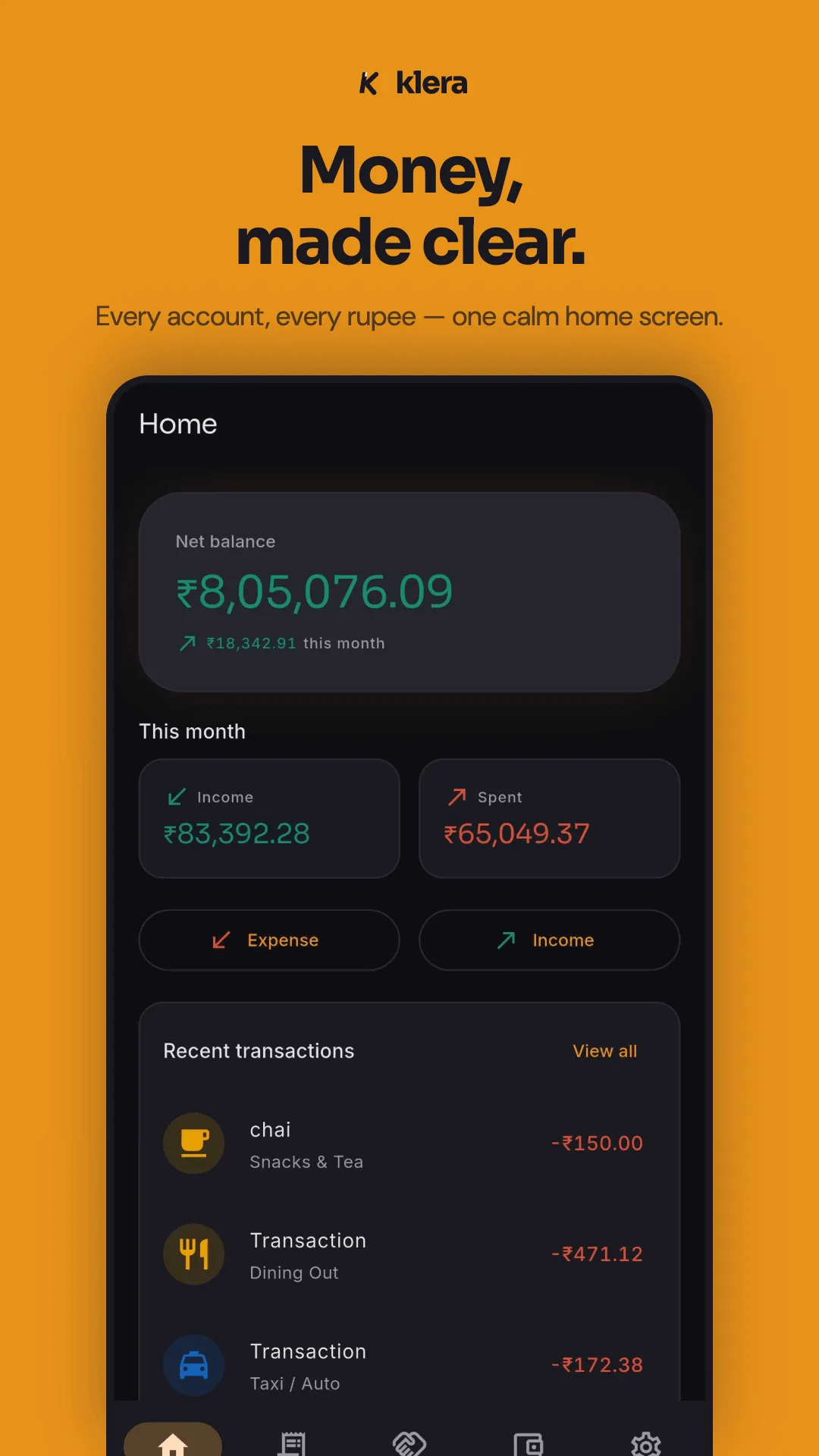
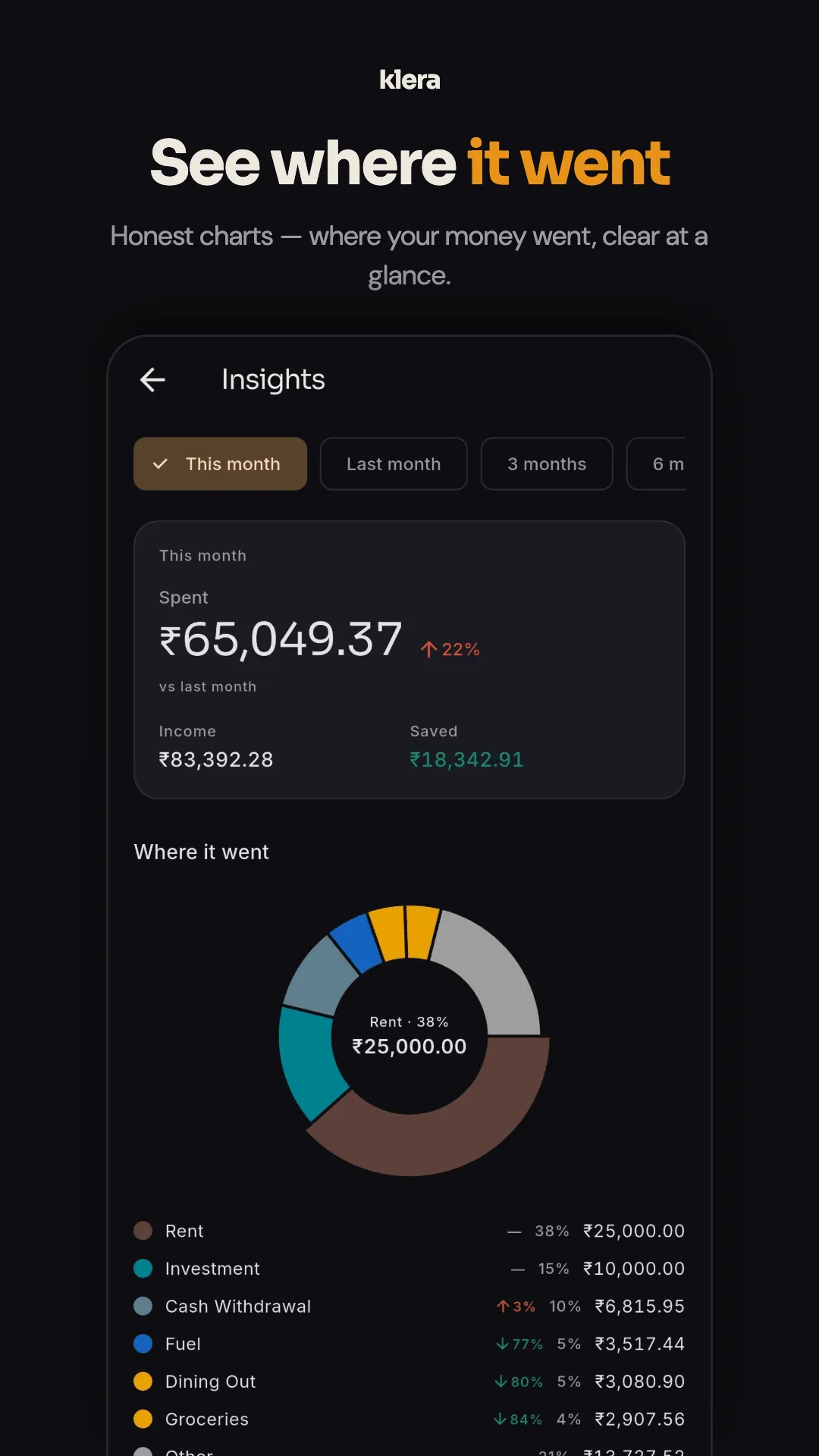
What a money manager app should actually cover
Ten things, and the list is judgeable against any app in the category — ours included. The middle column is what to look for; the right column is where Klera stands, feature by feature, all of it running on the phone.
| Capability | What to look for | In Klera |
|---|---|---|
| Every account in one ledger | Cash, bank accounts, UPI wallets and cards, with transfers between them and balance reconciliation. Money moved between your own accounts must not be miscounted as spending. | Yes — multi-account ledger with two-mode transfers (own accounts, or "to someone") and reconciliation. |
| Budgets | A plan for the month, with a warning before you overshoot — not a report after you have. | Yes — one monthly total split across four buckets (Needs, Wants, Investments, Learning) with overspend alerts. |
| Savings goals | A target with a date, and progress you can see. Better still if the app can fence the money off. | Yes — savings goals with optional account locking. |
| Investments | What your holdings are worth now, and the honest return — XIRR, not the flattering absolute number. | Yes — stocks, gold, fixed deposits, SIPs and insurance, with live valuation and true XIRR. |
| Net worth | One figure that nets assets against loans and card dues. Most spend-only apps cannot produce it. | Yes — assets netted against loans and card dues on one screen. |
| Debts you owe | Loans as amortisation schedules — EMI, interest paid and remaining, payoff progress — not just a monthly outflow line. | Yes — a full loan manager with amortisation, mid-loan rate changes and optional auto-recorded EMIs. |
| Debts owed to you | Money lent to friends and family is part of your position too. Almost every money app built outside India ignores it. | Yes — a two-way udhaar ledger with partial settlements, UPI settle links and a per-person statement PDF. |
| Bills that post themselves | Rent, EMIs, SIPs and subscriptions written into the ledger on schedule, with reminders — so the record does not depend on memory. | Yes — scheduled and recurring transactions, pausable and resumable. |
| A way in | Manual entry is why people quit. Look for statement import, or on-device capture of the payment notifications your phone already receives. | Yes — PDF, Excel and CSV import (PhonePe, Google Pay and Paytm statements included) parsed on the phone, plus optional notification capture. |
| A way out | CSV and PDF export, plus a complete machine-readable dump. Data you cannot leave with is not really yours. | Yes — CSV/PDF export with April–March financial-year presets and a category P&L, plus one-tap JSON export of everything. |
Two more that fall out of the same ledger: insights — a spend heatmap, category trends, top merchants, cash vs digital, your savings rate, and a yearly Money Wrapped — and eight Android home-screen widgets (net position, this month, budgets, udhaar, upcoming bills, goals, accounts, quick add) that keep the picture a glance away, with amounts masked by default while app lock is on. For the maths that sits around the ledger, the site's nine free calculators — including EMI and 50/30/20 budgeting — run entirely in your browser.
An AI money manager that computes, and never uploads
Once the whole picture is in one place, the natural interface to it is a question: can I buy a phone for 30,000? What bills are coming up? Kitna lena hai Ramesh se? The way most apps deliver that is a chat box wired to a cloud language model — which means your ledger, packaged and sent to a third party, in exchange for text that is plausible rather than computed.
Klera's assistant, Ask Klera, takes the other trade. Your question is matched on the device against a catalogue of 50 question shapes across 22 families — affordability, breakdowns, budgets, goals, udhaar, bills, EMI load, net worth, anomalies, habits — and the answer is computed arithmetically from the local database, by the same code that draws your charts. No cloud model, no bundled LLM, no network call: it works in airplane mode, the figures cannot be fabricated, and the conversation is never stored or transmitted. Coverage is measured against 1,316 real phrasings and stands at 94%; the rest get an honest "I can't answer that yet" instead of a guess. The full design — including what it deliberately refuses — is on the AI expense tracker page.
"Money manager app," the phrase — and Money Manager, the product
A disambiguation this page owes you: Money Manager is also the proper name of a specific app, by Realbyte, and it is the category incumbent — shipping since 2010, tens of millions of installs, and in raw bookkeeping depth still the most capable manual tracker you can install. If you searched for that app by name, this is not its page, and we will not pretend the comparison is one-sided: the honest head-to-head, including where Money Manager wins, is at Klera vs Money Manager.
If you meant the category — any app that manages money well — the short version is that Klera's distinct coverage is the udhaar ledger, investments with true XIRR, the loan amortisation manager, the on-device AI, and automatic encrypted backup into your own Google Drive; its honest costs are being new (2026), phone-only with no sync, and ad-supported by default. The wider field — Money Manager, Cashew, Monefy, MyMoney, Ivy Wallet — is compared, losses included, in the comparison.
A personal finance app built for India first
Most personal finance apps are designed elsewhere and localised afterwards, which is why they can categorise a Starbucks receipt but have no idea what to do with udhaar. Klera works the other way: designed for how money actually moves in an Indian household, and globally usable from there.
- UPI-first by design
- UPI wallets are first-class accounts, not a workaround. Payment-method tracking splits cash from digital, UPI transaction notifications can be captured on-device from allowlisted senders, and PhonePe, Google Pay and Paytm statements import end to end.
- Udhaar, treated as real money
- A two-way ledger for money lent and borrowed within the family and friend circle — per-person balances, partial settlements, UPI settle deep-links, dignity-minded reminders you control, and a statement PDF per contact. Money apps built elsewhere have no concept of this.
- The Indian financial year
- Exports come with April–March presets and a category-wise income-and-expense summary usable as a simple P&L — the shape your CA actually asks for.
- Six languages, Hinglish included
- English, Hindi, Spanish, French, Telugu and Urdu — and quick-add understands Hinglish, typed or spoken: "200 chai, 300 fuel" logs two categorised expenses.
- DPDP Act 2023 compliance
- Made simpler by architecture than by policy: there is no Klera server holding your ledger, so there is very little to comply about. The full accounting of every network call is on the privacy policy.
The udhaar ledger has a page of its own — it is the feature people switch for.
Private by architecture, not by promise
A money manager sees more of your life than any other app you install — which is exactly why Klera is built so that nobody else sees it. There is no account and no sign-up. The ledger lives in an AES-256-encrypted database on your phone, with the key held in the device's secure hardware. There is no Klera server holding your data, so every feature — the AI included — works in airplane mode, and there is nothing to breach, subpoena or sell. The safety net is an encrypted backup into your own Google Drive, refreshed automatically and readable only with your passphrase — so a lost phone is an inconvenience, not a disaster.
The complete list of network calls the app makes — five, none carrying a transaction, balance, category, account or contact — is on the privacy policy, and the full offline story, including the airplane-mode test you can run yourself, is on the offline expense tracker page. Klera is free with every feature included, funded by a few native ad slots that never see your numbers; an optional subscription — ₹30 a month or ₹300 a year — removes the ads and changes nothing else.
When Klera is the wrong money manager
Stated plainly, because the wrong user will be disappointed and we would rather they pick an app that fits.
- You want automatic bank sync. Klera never connects to banks. Entry is manual, captured from notifications you opt into, or imported from a statement file. If hands-off sync is the requirement, a cloud tracker is the correct answer.
- You use two devices at once. The ledger lives on one phone. Encrypted backup moves it to a new device, but there is no sync — planned, not shipped.
- You run a shop. Klera is a personal money manager, not a business khata — no staff accounts, no GST invoicing, no customer-facing app.
- You split group bills. Udhaar tracks two-way lending between you and a person; there is no group-split feature.
- You need multi-currency with conversion. Currency is a single global setting — changing it re-labels amounts, it does not convert them.
If none of those describes you, trying it costs nothing — there is no account to create, and none to close.
Money manager app FAQ
What is a money manager app?
A money manager app is a personal finance app that covers your whole financial position rather than just your spending: every account in one ledger, budgets, savings goals, investments, net worth, debts in both directions, and recurring bills. An expense tracker answers "where did the money go?"; a money manager also answers "where does everything stand?" and "can I afford this?". The practical test is whether the app can show you one net-worth figure that nets your assets against your loans and card dues — a spend-only tracker cannot.
Is Klera the same as Money Manager by Realbyte?
No. Money Manager is a specific app by Realbyte, shipping since 2010, and the most established manual tracker in the category — deeper in raw bookkeeping than Klera, and available on iPhone today. Klera (Google Play package com.kleraapp) is a different, newer app: the same offline, no-account posture, plus udhaar tracking, investments with XIRR, a loan amortisation manager, on-device AI and automatic encrypted backup to your own Google Drive. The full head-to-head, including where Money Manager wins, is at kleraapp.com/vs/klera-vs-money-manager/.
What is the best free money manager app without ads?
Honestly: Klera is free but ad-supported — a few native slots, never on the entry keypad, with an optional ad-free subscription at ₹30/month or ₹300/year. If no ads ever is the requirement, Cashew is the open-source option with no ads on the free tier, though it does not cover investments, loans or udhaar. What we can promise about Klera's ads is the part that matters: the ad network is never given a transaction, balance, category, account or contact, and we never sell your data.
Does Klera connect to my bank account?
No, deliberately. Klera never asks for bank credentials and has no account-aggregator integration, so there is no login to phish and no server-side copy of your transactions to breach. Data gets in three ways instead, all on the device: quick manual entry (three taps, or a typed or spoken sentence), optional capture of UPI and bank notifications from allowlisted senders, and statement import from PDF, Excel or CSV — password-protected bank PDFs included. If hands-off bank sync is your requirement, a cloud tracker is the correct answer and Klera is not it.
Is there an AI money manager that does not upload my data?
Yes — if the AI runs on the phone. Most AI features in finance apps send your transactions to a cloud language model, which gives a third party a copy of your ledger. Klera's assistant, Ask Klera, is a deterministic on-device engine instead: your question is matched against a catalogue of 50 question shapes across 22 families, and the answer is computed arithmetically from the local database. No cloud model, no bundled LLM, no network call — it works in airplane mode, and the conversation is never stored or transmitted.
Can a money manager app handle loans and EMIs?
It should — debt is half of your net worth. Klera includes a full loan manager: the complete amortisation schedule, EMIs, mid-loan interest-rate changes, interest paid and remaining, payoff progress, and optional auto-recording of the monthly EMI into your ledger. Scheduled transactions post recurring EMIs and SIPs on time, and the built-in calculators compare loans side by side, prepayment against investing, and tenure choices.
Does Klera work offline?
Fully, and you can verify it in a minute: turn on airplane mode and use the app. Accounts, budgets, goals, investments, net worth, loans, udhaar, insights, import, export — and the AI assistant — all run with the network off, because the data lives in an AES-256-encrypted database on your phone and there is no Klera server holding your ledger. The safety net is an encrypted backup into your own Google Drive, readable only with your passphrase.
Which personal finance app is best for India?
Look for the things Indian money actually involves: UPI wallets as first-class accounts, udhaar within the family and friend circle, April–March financial-year reporting, and Hindi or your own language. Klera was built around exactly those, works without an account or bank login, and complies with the DPDP Act 2023. Money Manager and Cashew are strong general-purpose alternatives; neither treats udhaar or the Indian financial year as a native concept.
Is Klera available for iPhone?
Yes. Klera is on the App Store for iPhone (iOS 16 or later), listed as “Klera: AI Money Manager”, and on Google Play for Android — free on both, in the same six languages. The home-screen widgets and bank-SMS capture are Android-only.
Read next
- Expense tracker app — the record half, done properly
- Budget tracker app — the plan half, without the spreadsheet
- The offline story in full, with the airplane-mode test
- How the on-device AI works, and what it refuses to do
- Udhaar tracker — who owes you, tracked with dignity
- Klera vs Money Manager (Realbyte), honestly compared
One ledger. The whole picture. Nobody else's copy.
Free, no sign-up, works in airplane mode — the AI included.