An AI that never sees your money
Ask Klera answers what you can afford, where it went and who owes you — computed on your phone from your own ledger. No cloud, no language model, no network call. Type or speak, in English or Hinglish.
Klera is your private, offline personal finance app — with an AI that answers questions about your money without your money ever leaving the phone. Track spends, udhaar and loans. No sign-up, no bank login, no one watching.
Free · No sign-up · Works offline · On-device AI
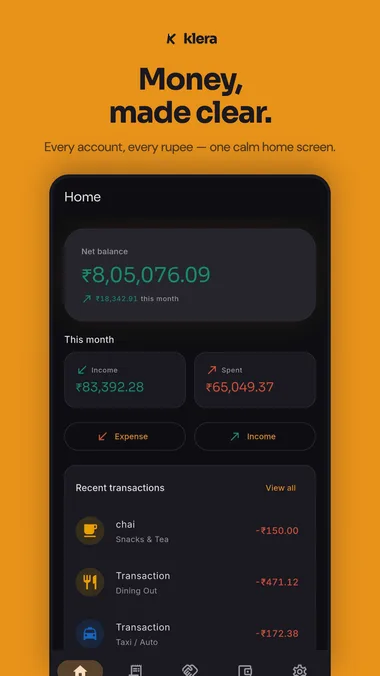
Open the app and start. No account, no OTP, no email.
Every feature works without internet. Always.
AES-256, key held in your phone's secure hardware.
Ads keep it free — or go ad-free for ₹30/month. Either way, no ad network ever sees your ledger.
Everything you need
Track, plan and understand your money — with tools built for real households.
Ask Klera answers what you can afford, where it went and who owes you — computed on your phone from your own ledger. No cloud, no language model, no network call. Type or speak, in English or Hinglish.
Amount first, category, done. Or just say it — Klera understands plain English and Hinglish, typed or spoken, and categorises it for you.
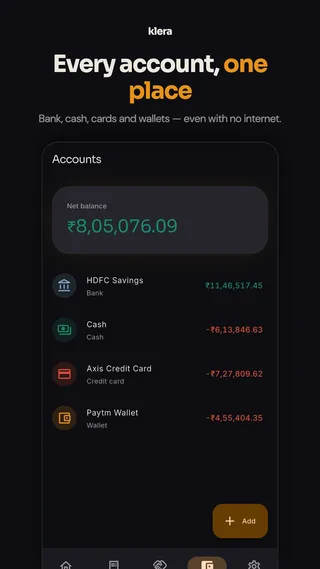
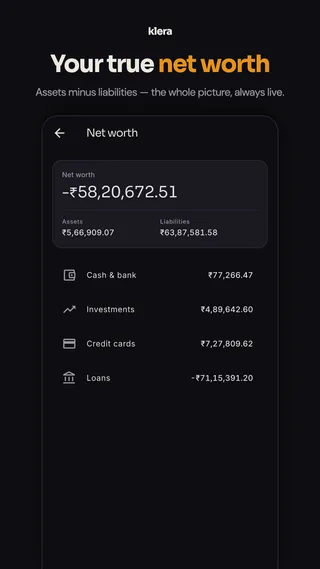
Cash, bank accounts, UPI wallets and cards — with transfers between them, plus a net-worth view that nets assets against loans and card dues.
Set one monthly total, then split it across Needs, Wants, Investments and Learning — with presets to start from and alerts before you overshoot. Plus savings goals you can watch fill up, and lock an account to one so the money stays put.
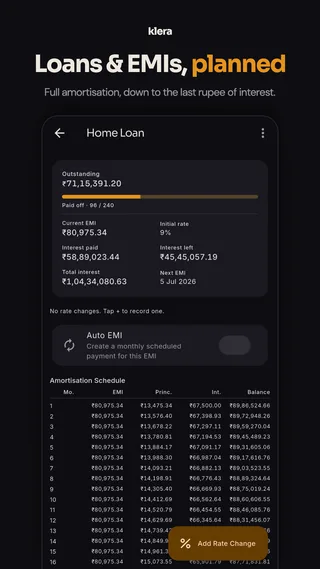
A full loan manager with amortisation schedule, EMIs, rate changes and payoff progress — plus SIP, EMI, loan-comparison and loan-vs-SIP calculators.
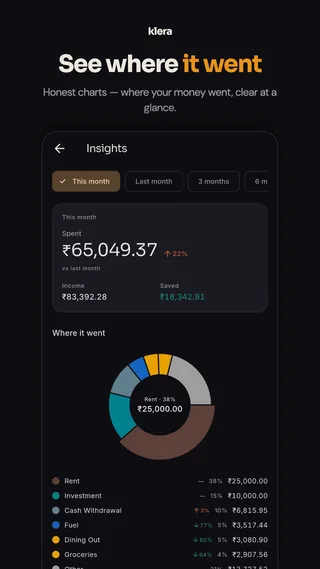
A spend heatmap, category trends, your top merchants, a cash-vs-digital split and your savings rate — plus a yearly Money Wrapped you’ll actually want to open.
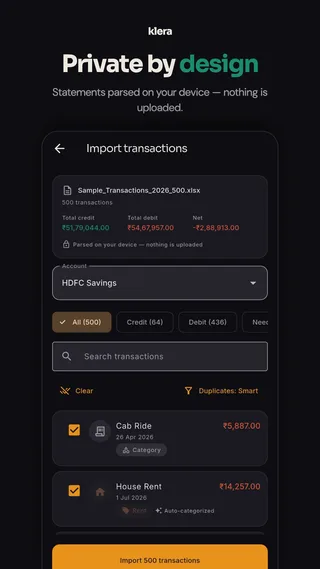
Import bank statements as PDF, Excel or CSV — and PhonePe, Google Pay or Paytm statements too. Parsed on your phone with no bank to pick, auto-categorised and de-duplicated, with import history and one-tap undo. Or opt in to on-device SMS capture, allowlisted senders only.
Encrypted with a passphrase only you know, into a private app folder in your Drive — daily or weekly, automatically. New phone: install, sign in, type your passphrase, everything is back.
Set up a bill, rent, EMI or SIP once and Klera writes it into the ledger on schedule — daily, weekly, monthly or yearly — with a reminder, and pause or resume any of them any time.
Biometric or PIN app lock, and screenshots blocked on financial screens so nothing leaks into your gallery. Available in English, Hindi, Spanish, French, Telugu and Urdu.
Eight resizable Android home-screen widgets — balance, this month, budgets, udhaar, upcoming bills, goals, accounts and quick add. Amounts stay masked by default while app lock is on, and widgets never open the encrypted database.
Klera AI
“Can I buy a phone for 30000?” · “Where did my money go?” · “Kitna lena hai Ramesh se?” — every answer is computed on your phone from your own ledger. There is no cloud AI behind it, so there is nothing to leak and nothing to invent.
Udhaar, handled
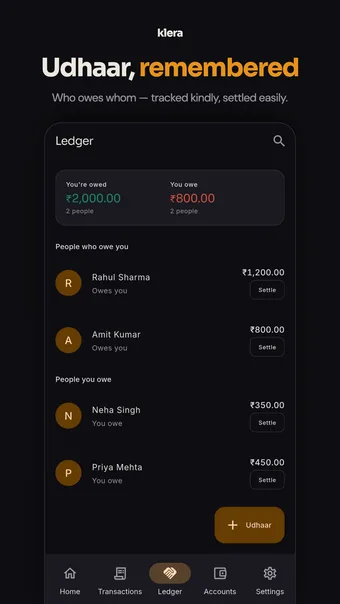
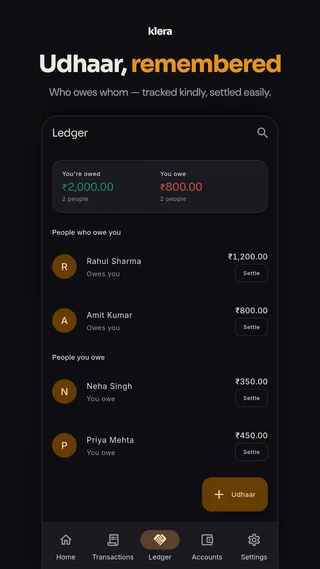
Lent ₹500 at dinner? Note it in seconds. Klera keeps a kind, private ledger of who owes whom — no shared app your friends must install.
Investments & net worth
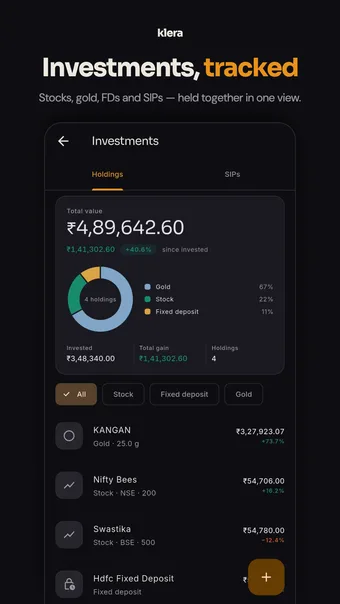
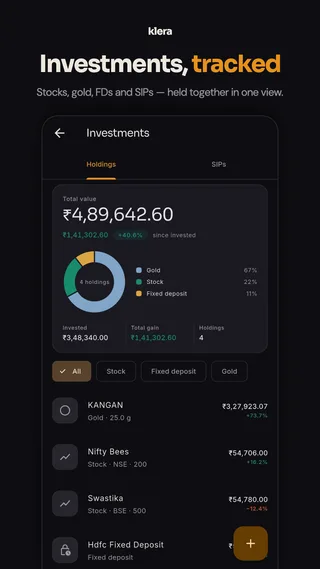
Log stocks, gold, fixed deposits and SIPs once. Klera values them live, shows your allocation, and rolls everything into a single net-worth number.
Private and recoverable
Offline shouldn't mean fragile. Klera keeps an encrypted backup in your own Google Drive — locked with a passphrase only you know, so it is recoverable by you and unreadable by everyone else, us included.
drive.appdata scope — it cannot see, list or open any other file in your Drive. Private by design
We can't see your data. That's the whole point.
Read the privacy policy →A quiet, focused app
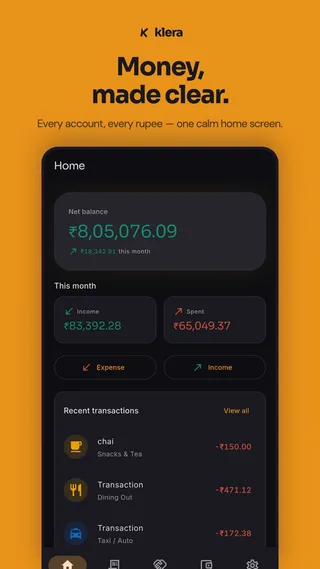
Straight from the store listing — this is what living with Klera looks like.
Questions
Klera is a free personal finance app for Android and iPhone that tracks expenses, income, budgets, savings goals, investments, loans and udhaar (personal IOUs) — offline, on your phone. There is no sign-up and no Klera account: your ledger lives on your device in an AES-256 encrypted database, with an optional encrypted backup into your own Google Drive.
Yes — and it runs entirely on your phone. Ask Klera answers questions about your own money in plain English or Hinglish: what you can afford, where the money went, who owes you, what is due, what your worst money habit is. It is not a cloud chatbot: Klera calls no AI provider, bundles no language model, and makes no network request to answer you, so it works in airplane mode. You can also log expenses by typing them — "200 chai, 300 fuel" logs both, categorised.
Never. The AI is a deterministic engine on your device: it matches your question against a catalogue of question shapes and computes the answer from your local ledger with ordinary arithmetic. Nothing is uploaded, nothing is stored — the conversation lives in memory while the screen is open and is gone when you leave it. Because there is no model generating figures, it also cannot invent a number about your money: every amount it shows is calculated by the same code that draws your charts.
Most money manager apps want your SMS inbox, your bank login, or at least an account. Klera asks for none of these — it works 100% offline, encrypts everything on your device, and never sells your data. It also tracks udhaar (money lent to friends and family) with UPI settle links, which most finance apps ignore. See our honest comparison of expense tracker apps for where the alternatives win.
Yes. Alongside expense tracking, Klera includes bucket budgets — one monthly total split across Needs, Wants, Investments and Learning, with overspend alerts — plus monthly spend goals, savings goals, scheduled bills and EMIs, spending insights, investment and net-worth tracking, a loan manager, and SIP/EMI/loan calculators. The full toolkit for managing personal finances in one private app.
Yes. Log stocks, gold, fixed deposits, SIPs and insurance policies, and Klera values them live to show your allocation and true XIRR returns. Fetching those prices is the one part that needs a connection — it is a Settings toggle you can switch off, in which case holdings show the values you entered. Everything else, including the single net-worth figure that combines your accounts, investments, loans and card dues, is calculated on your device.
Yes. The loan manager tracks each loan with its full amortisation schedule, EMIs, interest paid and left, payoff progress and rate changes — and can auto-record the monthly EMI for you. There are also SIP, EMI and loan-vs-SIP calculators for planning ahead.
Yes — eight resizable home-screen widgets on Android: net position, this month, budgets, udhaar, upcoming bills and EMIs, goals, accounts and quick add. They follow the same privacy rules as the app: amounts are masked by default while app lock is on (you see ₹ •••• until you opt in), and widgets never open the encrypted database — the app writes a small pre-formatted snapshot instead, which is cleared when you wipe your data and is never part of a backup. Set them up under Settings → Home screen widgets.
Yes, the whole app is free — every feature, no paywall, and it stays that way. It is funded by ads: a small number of quiet, clearly labelled banners on screens like Home and Insights, never on the add-expense keypad and never on the backup, export or delete screens. No ad network is ever given your transactions, balances or contacts, and we never sell your data. That is the trade: ads pay for the app so your ledger does not have to. If you would rather not see them, an optional subscription — ₹30/month or ₹300/year — removes the ads, and nothing else: there are no features behind it.
Yes — that is how a free app pays for itself. They are native banners styled to match the app, capped to a handful of screens, and kept away from the capture flow and every privacy screen. What matters is what they do not get: the Google ad network receives no transaction, balance, category, account or contact data from Klera — none of your ledger is ever handed to it. Like any ad-supported app, the ad SDK does receive your device’s advertising ID and standard device information. On first run you choose your ad-personalisation preference through Google’s standard consent prompt, and you can change it later in Settings. If you would rather have no ads at all, an optional ad-free plan (₹30/month or ₹300/year) removes them.
Yes. An optional subscription — ₹30 per month or ₹300 per year — removes the ads, and removes nothing else: every feature in Klera is free and stays free, so the plan simply buys quiet and helps keep Klera running. It renews until you cancel, which you can do any time from Google Play, and “Restore purchase” brings it back on a new phone because it is tied to your store account — the app still has no sign-up.
Only on your phone, in an AES-256 encrypted database. The encryption key lives in your device’s secure hardware. Klera runs no server that holds your ledger — the only copy that ever leaves the device is the backup you choose to put in your own Google Drive, and that is encrypted with a passphrase we never see.
No. Klera never asks for your bank credentials, and SMS capture is optional and off by default. If you turn it on, only messages from a fixed allowlist of bank senders are read, and they’re parsed entirely on your device.
Yes. Import statements as PDF, Excel or CSV, or bring in exports from other money apps. Klera parses the file entirely on your phone — nothing is uploaded — then auto-categorises each transaction and flags duplicates before you confirm the import.
You get your ledger back. Turn on Google Drive backup (Settings → Backup) and Klera keeps an encrypted copy in a private app folder in your own Drive, refreshed automatically every day or every week. On a new phone: install Klera, sign in to the same Google account, type your backup passphrase, and everything is restored — accounts, transactions, budgets, goals, loans and udhaar. The backup is encrypted with a passphrase only you know, so nobody else can read it, including us and including Google. There is also an encrypted local backup file and a one-tap data export if you would rather move it yourself.
Two ways, both encrypted, both under your control. Google Drive backup signs in to your own Google account and writes an encrypted file into a hidden app-private folder — Klera asks only for the drive.appdata scope, so it cannot see, list or read any other file in your Drive. You set a backup passphrase once; it encrypts the file, and it is the only thing that can open it, so keep it somewhere safe because it cannot be recovered. Auto-backup then refreshes it daily or weekly when you open the app. Alternatively, export an encrypted backup file and store it wherever you like.
Optionally, yes. Klera can read the transaction notifications your bank and UPI apps already post to your phone and turn them into draft entries for you to confirm — matched against a fixed list of known bank and UPI senders, parsed on the device, never uploaded. It is off until you turn it on, and it can be revoked at any time. You can also share a payment receipt or confirmation message straight into Klera from WhatsApp or your UPI app and it will read the amount, date and payee out of it.
Yes. Set up a scheduled transaction once — daily, weekly, monthly or yearly — and Klera posts it to your ledger on time and reminds you, so rent, bills, EMIs and SIPs stop being things you have to remember. Each one can be paused and resumed, and the loan manager can auto-record a loan’s monthly EMI for you.
Always, in one tap and without asking us. Export transactions as CSV or PDF with filters by date, account, category and type — including ready-made financial-year (April–March) presets and a category-wise income-and-expense summary that works as a simple P&L. There is also a complete JSON export of everything you own, an encrypted backup file, and a per-person udhaar statement PDF you can send to whoever owes you.
Only if you ask it to, and only in one place. When you are adding an udhaar entry and typing a person’s name, you can tap “suggest from phone contacts” — Klera then reads your address book live, in that moment, to offer matching names and numbers. It is never bulk-imported, never synced, never uploaded, and a contact is only saved into Klera when you tap Save on that entry. Klera never requests call-log access.
Yes. Klera is on the App Store for iPhone (iOS 16 or later), listed as “Klera: AI Money Manager”, and on Google Play for Android — free on both, in the same six languages. The home-screen widgets and automatic capture from bank SMS are Android-only.
English, Hindi, Spanish, French, Telugu and Urdu — and the quick-add understands Hinglish naturally.
One tap: Settings → Privacy → Delete All My Data. Since nothing is stored on any server, deleting locally deletes everything. Details on the data deletion page.
Free on Android and iPhone. Set up in under a minute — your data stays yours.
Questions? support@kleraapp.com