Envelope budgeting app · Updated 18 September 2026
An envelope budgeting app with four envelopes, not fifty.
Klera does digital envelopes the way people actually keep doing them: one monthly total split across four buckets — Needs, Wants, Investments and Learning — with overspend alerts before a bucket overshoots, and savings goals you can lock an account for. Free on Android and iPhone, fully offline, no account, and your ledger never leaves your phone.
Free · No sign-up · Works in airplane mode
The envelope system, in one paragraph
The cash envelope system is the oldest budgeting method that still works: at the start of the month, divide your money into labelled envelopes — groceries, rent, eating out — and pay for each thing only from its envelope. When an envelope is empty, that category’s spending stops. A digital envelope budgeting app keeps the mechanism and drops the cash: each envelope is a running balance the app draws down as you spend, so the method survives UPI, cards and subscriptions, where paper cannot follow.
Why does something this simple work? Because it changes when you find out. Most budgets are reports: you overspend in week two and learn about it in week five. An envelope is a constraint: the moment a category runs dry, you know — and whatever happens next is something you chose. Envelopes make overspending a decision instead of a discovery. The constraint is not a limitation of the method; it is the entire method.
The failure mode nobody mentions: fifty envelopes
Here is what the tutorials skip. Most envelope apps let you create an envelope per category, and a fresh convert usually does — groceries and household and eating out and coffee and gifts and pets, thirty envelopes deep by the weekend. It feels like control. Then month two arrives: every envelope needs funding again, half of them are slightly wrong, and money needs shuffling from the ones that overshot the guess to the ones that undershot it. Managing the envelopes becomes a second job, and most people who quit envelope budgeting quit exactly here — not because the method failed, but because the bookkeeping did.
The fix is not more discipline. It is fewer, bigger envelopes. An envelope earns its place only if its emptying would change a decision — and for most spending, the decision-relevant boundary is not groceries versus household, it is needs versus wants. Collapse the categories that always get funded anyway into one envelope, keep the discretionary money where the alert matters, and the system shrinks to something you will still be running in a year. This fewer-bigger-envelopes variant has a name: bucket budgeting.
Klera’s version: four envelopes, deliberately
Klera’s budgeting feature is literally called bucket budgets, and it is the bucket variant by design: you set one monthly total and split it across four buckets. Every category you spend in rolls up into one of them — the custom categories you create pick a bucket too — so the envelopes fill themselves from the spending you already track, and there is nothing to shuffle. This replaced per-category budgets in the app; Klera does not use a fifty-category budget model, on purpose.
- Needs
- The non-negotiables — the spending that would happen whether or not you budgeted. When this envelope runs warm, the fix is structural, not willpower.
- Wants
- The discretionary envelope, and the one the whole system exists to govern. This is where an overspend alert is worth having.
- Investments
- Money leaving the month on purpose. Giving it an envelope of its own means it is planned like spending, not left to whatever remains.
- Learning
- Courses, books, skills — the spending that pays you back. A separate envelope keeps it from being the first thing cut.
- Presets for the split, so month one takes a minute. Four styles — Balanced, Saver, Investor, Student — set the proportions; adjust from there rather than from a blank page.
- Overspend alerts play the empty envelope. A digital envelope cannot physically run out, so the app has to say so: Klera warns you as a bucket approaches its limit and when it overshoots — before the month ends, while the choice is still ahead of you.
- Savings goals are the envelope you can actually seal. A cash envelope for savings has one flaw — you can always open it. A Klera savings goal can optionally lock an account to it, which is more envelope than an envelope.
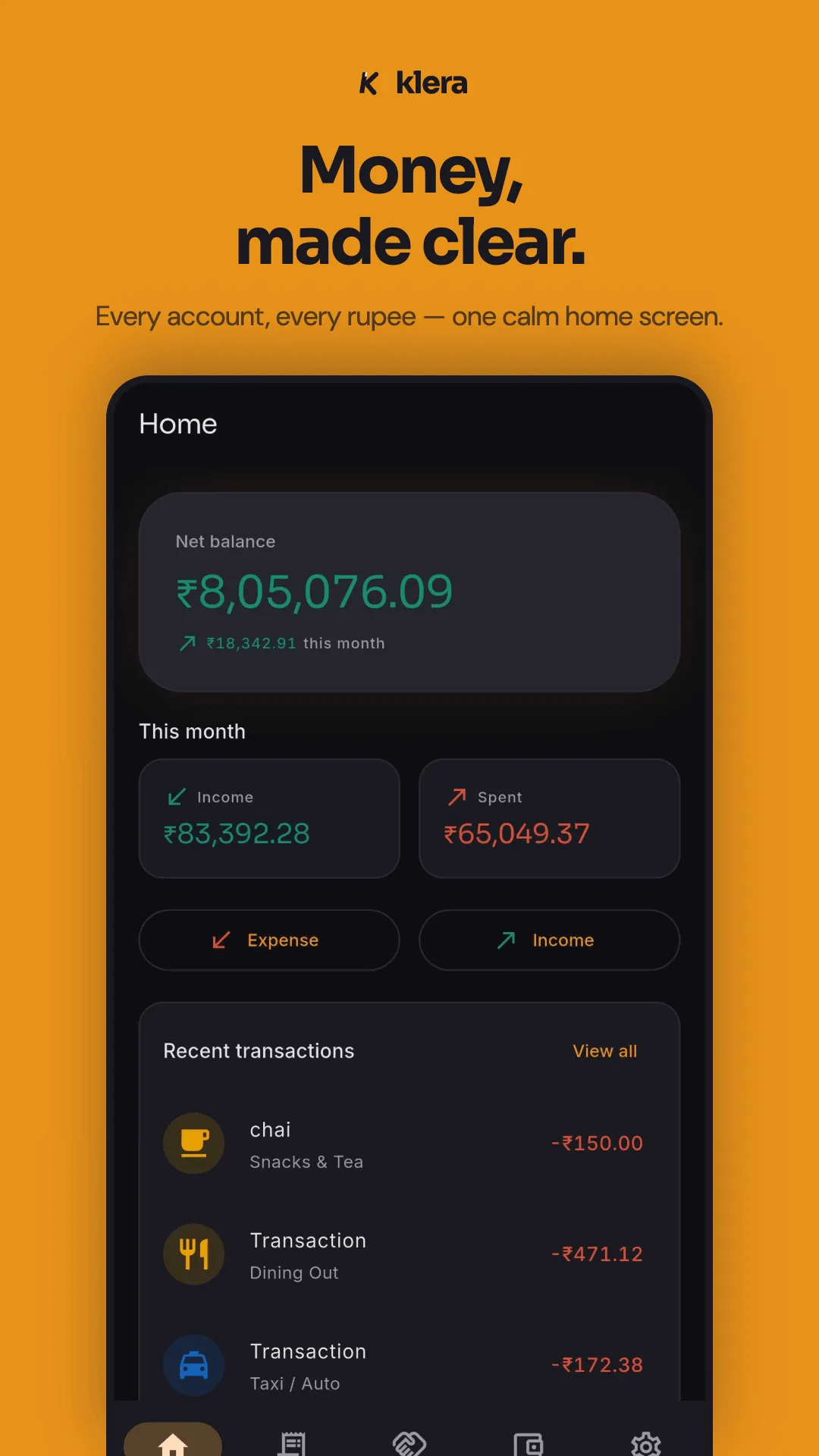
- The envelopes fill themselves. Budgets are only as good as the spending record beneath them, and Klera is an expense tracker first: three-tap entry, voice and Hinglish quick-add, on-device capture of UPI and bank notifications, and statement import — so the buckets reflect what actually happened.
What Klera’s envelopes won’t do
Stated plainly, because the wrong user should find out here rather than after installing.
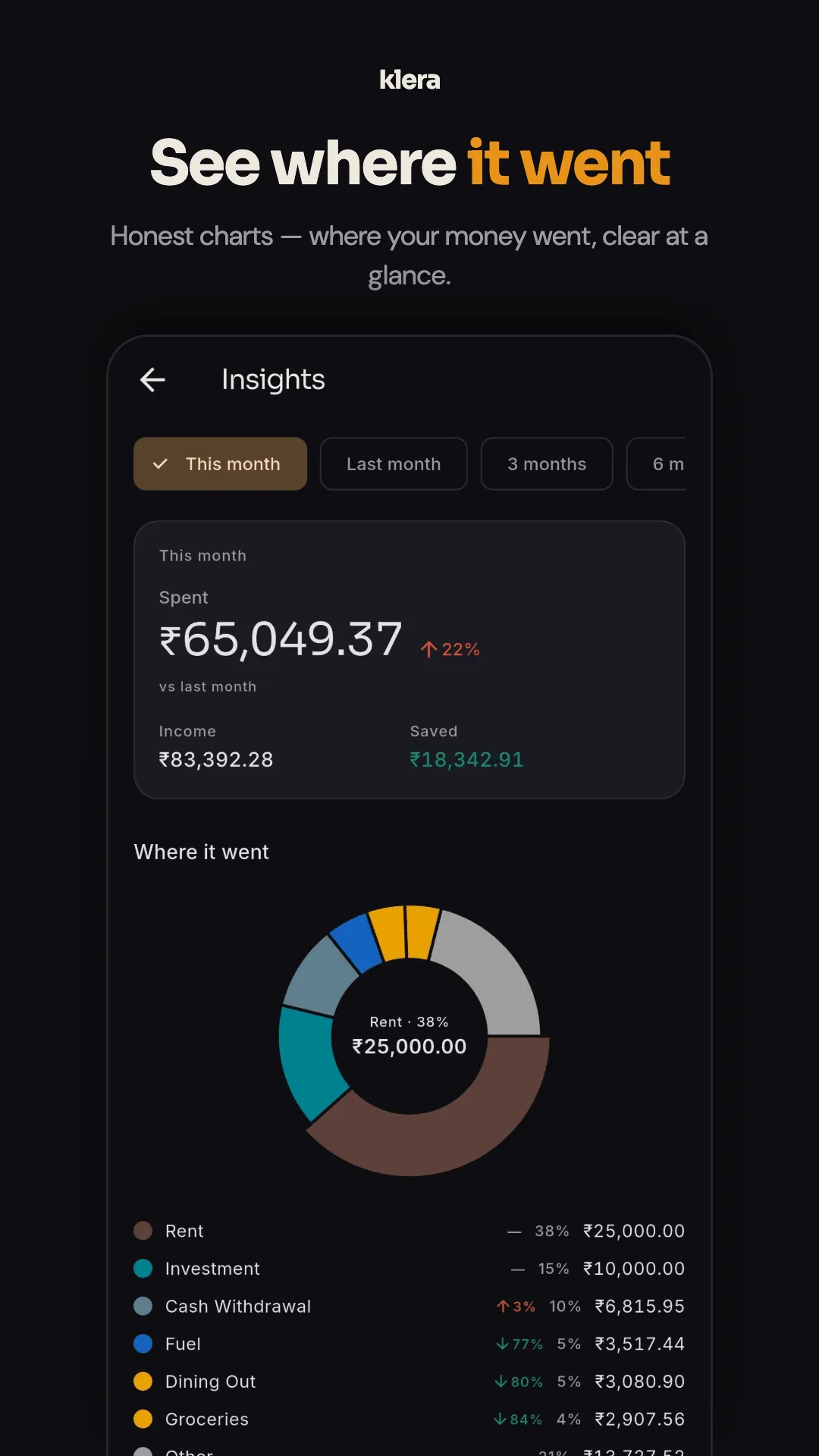
- No per-category envelopes. You cannot give coffee its own envelope. Categories roll up into the four buckets; the granular view of where money went lives in the insights, not in the budget.
- No envelope-to-envelope transfers. There is no move-money ritual, because with four buckets there is almost nothing to move.
- No rollover. Buckets reset with the month. Unspent money is surplus to notice — or to point at a savings goal — not budget that quietly raises next month’s ceiling.
If strict per-category envelope stuffing is your method — every rupee assigned to a named envelope, balances accumulating month over month, money moved between envelopes as the month unfolds — a dedicated envelope app will fit you better than Klera, and you should use one. Know the price, though: the dedicated envelope apps are generally cloud services with mandatory accounts, which means your complete transaction history — the very thing an envelope app must see to work — lives on someone else’s server, under their policy. That trade is worth making knowingly or not at all.
An envelope app sees everything — so where it runs matters
Envelope budgeting has a property most people never think about: it only works if the app sees every transaction. A budget app that misses spending just shows a wrong number; an envelope app that misses spending is broken, because an envelope that does not empty never says stop. So whichever envelope app you choose, you are handing it the most complete picture of your financial life any app will ever have.
That is an architecture question, not a features question. Klera’s answer: the ledger lives on your phone in an AES-256-encrypted database, there is no account and no sign-up, no server holds a copy, and every feature — budgets included — works in airplane mode. The optional backup is encrypted on the device with a passphrase only you know and goes to your own Google Drive. The complete list of network calls the app makes is on the privacy policy, and the offline design is laid out in full on the offline expense tracker page — including the airplane-mode test you can run yourself in a minute.
Cash envelopes vs a digital envelope app
- Cash envelopes
- Still work, and nothing digital matches the finality of an envelope that is physically empty. But they only govern the money you withdraw: rent by bank transfer, UPI payments, cards and subscriptions all happen outside the envelopes, which for most people is now most of the spending. Cash envelopes also carry the month’s money in a drawer.
- A digital envelope app
- Covers every payment method, because the envelope is a balance the app draws down rather than notes in paper. The empty envelope becomes an alert instead of a physical fact — weaker in the moment, but it follows you into every UPI payment, which paper never could. If most of your spending is electronic, the digital version is not a compromise; it is the only version that sees your month.
Envelope vs zero-based vs 50/30/20
The three methods people actually choose between. They are not rivals so much as different answers to how much bookkeeping you will sustain.
| Envelope / bucket | Zero-based | 50/30/20 | |
|---|---|---|---|
| The rule | Split the month into labelled envelopes; stop when one is empty | Give every unit of income a job until nothing is unassigned | Cap needs at 50%, wants at 30%, put 20% to savings |
| What it is best at | Stopping overspending in the moment, category by category | Accounting for every rupee; nothing slips through | Getting started in five minutes with sane defaults |
| Effort per month | Medium — fund the envelopes once, then just watch them | High — every transaction needs a job, and jobs need rebalancing | Low — three numbers, set once |
| Where it breaks | Too many envelopes turns budgeting into a second job | The reconciliation burden; most people stop by month three | Says nothing about which want emptied the 30% |
| Closest Klera fit | Bucket budgets — four envelopes with overspend alerts | Partial — Klera tracks everything but does not force assignment | The Balanced preset is a close cousin of this split |
Zero-based budgeting gets its own treatment on the zero-based budgeting app page, and you can try the 50/30/20 split on your own numbers with the free 50/30/20 calculator — it runs in your browser and uploads nothing. If you just want spending tracked against a plan without committing to a named method, start at the budget tracker page.
Envelope budgeting FAQ
What is envelope budgeting?
Envelope budgeting is a method where you divide the month’s money into labelled envelopes — groceries, rent, eating out — and spend each category only from its envelope. When an envelope is empty, spending in that category stops until next month. It began as a literal cash system; an envelope budgeting app recreates the same mechanism digitally, tracking each envelope’s balance as you spend instead of holding physical notes.
Does envelope budgeting work without cash?
Yes — and for most people today it has to, because rent, UPI payments, cards and subscriptions cannot come out of a paper envelope. A digital envelope app applies the same rule to electronic spending: every transaction draws down a named envelope, and the app tells you when one is close to empty. You lose the physical finality of an empty envelope, which is why a good digital version needs overspend alerts — the app has to say "stop" because the empty envelope no longer can.
How many envelopes should I have?
Fewer than you think. The classic failure mode of envelope budgeting is thirty envelopes: money constantly needs shuffling between them, funding them each month becomes an evening’s work, and by month three the system is abandoned. An envelope only earns its place if its emptying would change a decision. For most people that is a handful of envelopes at most — which is why Klera’s model is four: Needs, Wants, Investments and Learning, splitting one monthly total.
What happens when an envelope runs out?
That is the method working. An empty envelope means that category’s spending stops for the month — or, if it genuinely cannot stop, you consciously take from another envelope and feel the trade. The point is that the overspend happens as a decision you make, not a surprise you discover on the first of the month. In Klera, the overspend alert plays this role: it warns you before a bucket overshoots, while the choice is still ahead of you.
Is envelope budgeting the same as zero-based budgeting?
They are cousins, not twins. Zero-based budgeting says every unit of income must be assigned a job until nothing is left unassigned — it is an accounting discipline. Envelope budgeting says each category has a fixed pot and spending stops when the pot is empty — it is a spending constraint. Many apps combine them (assign everything, then treat each assignment as an envelope). Envelope budgeting is the easier of the two to sustain, because it asks for a decision per category per month rather than per transaction.
What is bucket budgeting?
Bucket budgeting is the fewer-bigger-envelopes variant of the envelope system: instead of an envelope per category, you split one monthly total across a small number of broad buckets and let categories roll up into them. It trades per-category precision for a system you will still be running in six months. It is the model Klera uses — literally named bucket budgets in the app — with four buckets (Needs, Wants, Investments, Learning), style presets and overspend alerts.
Is there a free envelope budgeting app without an account?
Klera is one, with an honest caveat about which kind of envelope budgeting it does. It is free with every feature included, has no sign-up of any kind, works fully offline, and stores the ledger AES-256-encrypted on your phone. Its envelopes are four fixed buckets — Needs, Wants, Investments and Learning — splitting one monthly total, with overspend alerts and savings goals you can lock an account for. It does not offer per-category envelopes, envelope-to-envelope transfers or rollover. If you want strict per-category envelope stuffing, a dedicated envelope app — generally cloud-based, with an account — is the better tool for that method.
Do Klera’s envelopes roll over unspent money to next month?
No, deliberately. Rollover suits the envelope-stuffing style, where envelopes accumulate balances over months, but it also lets a lucky month quietly raise next month’s spending ceiling. Klera’s buckets reset with the month: the budget is a plan for this month’s income, and money you did not spend is surplus to notice, not budget to carry. If you want that surplus to accumulate somewhere with a purpose, that is what its savings goals are for — including the option to lock an account to one.
Read next
- Zero-based budgeting — every rupee gets a job
- Budget tracker app — the plan and the record in one place
- 50/30/20 calculator — split your income in the browser
- Expense tracker app — the record your envelopes depend on
- Offline expense tracker — the airplane-mode test and the full design
- How to manage your money privately in 2026
Four envelopes. Zero accounts.
Set one monthly total, pick a preset, and let the buckets watch the month. Free, no sign-up, and your ledger stays on your phone.