Offline expense tracker
An expense tracker that works with the internet off.
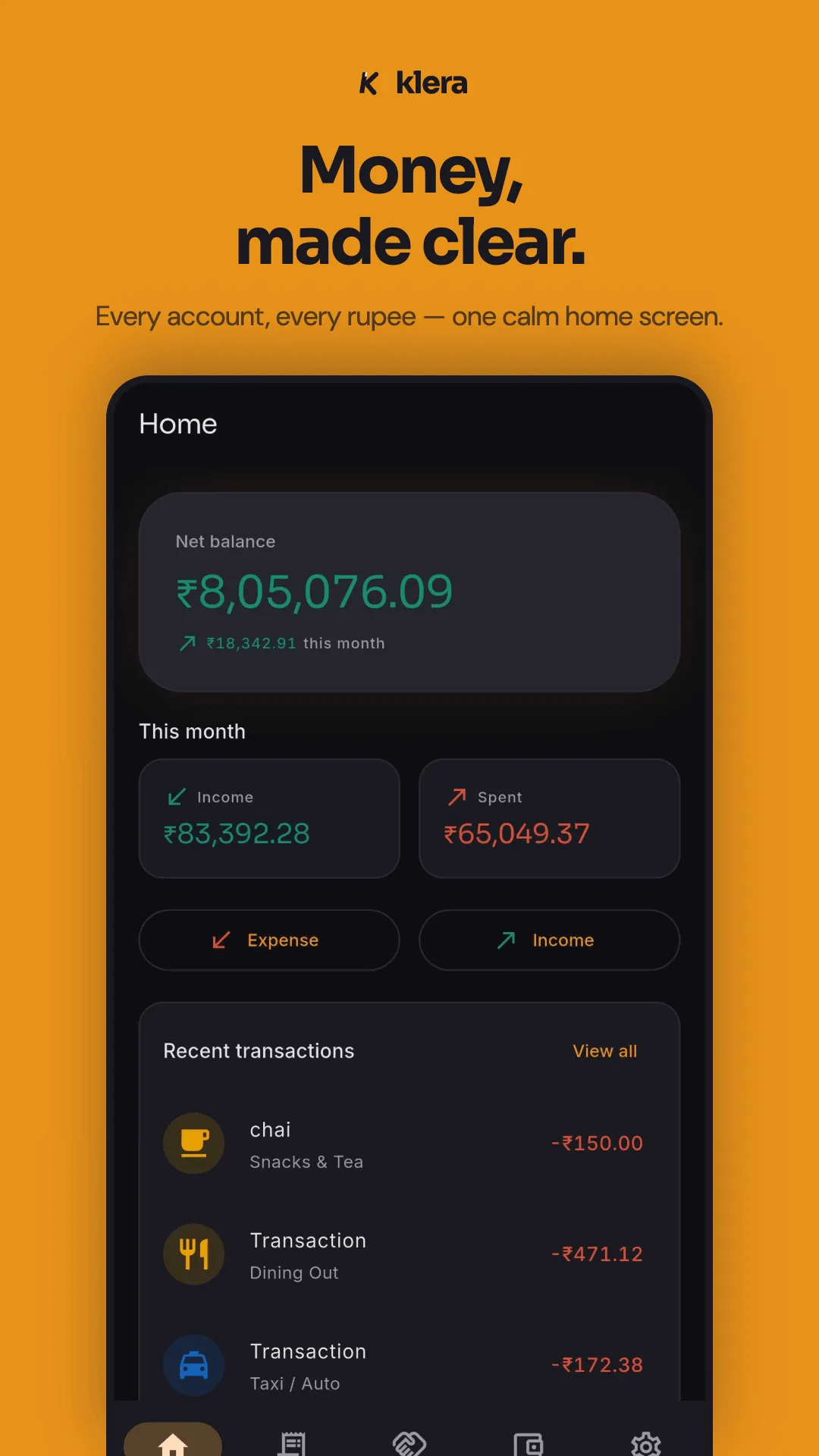
Klera records your spending entirely on your phone. No account, no bank login, no Klera server holding your financial history — and an encrypted backup in your own Google Drive, so private doesn't have to mean one dropped phone from losing everything. Free on Android, encrypted with AES-256.
Free · No sign-up · Airplane-mode tested
The airplane-mode test
Plenty of apps say "private." Offline is the stronger claim because you can check it yourself in ten seconds: turn off the network and try to use the app. Here is what Klera answers.
- Does it work in airplane mode?
- Every screen. Adding expenses, budgets, charts, calculators, udhaar, export — all of it runs with the network off, because there is no server to reach.
- Does it need an account?
- No sign-up screen at all. No email, no phone number, no OTP. Open the app and add your first expense.
- Where does the data live?
- In a SQLCipher database on your phone, encrypted with AES-256. The key is generated on first launch and held in your device's secure hardware.
- What does it upload?
- None of your financial data — not a transaction, balance, category, account or contact. Klera runs no analytics and no usage tracking. The network is used for four things you control: the encrypted backup you choose to put in your own Google Drive, live prices if you track investments, ads, and a version check. Crash reports are opt-in only and stripped of financial data before sending.
- What about the backup — isn’t that the cloud?
- It is your cloud, not ours. The backup goes into a hidden app-private folder in your own Google Drive, encrypted with a passphrase only you know. Klera requests only the drive.appdata scope, so it cannot see or read anything else in your Drive, and it never holds your passphrase — so the file is unreadable by us and by Google.
Offline vs. cloud expense trackers
| Klera (offline) | Typical cloud tracker | |
|---|---|---|
| Works fully in airplane mode | Yes — every feature | Read-only at best; most break |
| Account required | None | Email or phone, usually mandatory |
| Bank credentials | Never requested | Often required for auto-sync |
| SMS permission | Optional, allowlisted senders, parsed on-device | Blanket inbox access, commonly required |
| Where data is stored | Your phone, AES-256 encrypted | The provider's servers |
| Backup | Encrypted, into your own Google Drive | Automatic, into the provider's cloud |
| If the company shuts down | App keeps working; data is yours | Service and history disappear |
| Ads | Yes — but the ad network never sees your data | Often, plus upsells |
| Selling your data | Never | Check the policy — often permitted |
Cloud apps are described generally — features vary by product. The point is the architecture: if your data is on someone's server, its safety is their policy decision, not your setting.
What you still get
Offline does not mean stripped down. Giving up bank auto-sync costs you a convenience; it does not cost you the tools.
- Three-tap expense entry — amount first, category, done. Typed or spoken, English or Hinglish.
- Every account, one net worth — cash, bank, UPI wallets and cards, netted against loans and card dues.
- Investments tracked on-device — stocks, gold, fixed deposits, SIPs and insurance, with allocation and XIRR returns.
- A full loan manager — amortisation schedules, EMIs, rate changes and payoff progress.
- Budgets with alerts — one monthly total split across Needs, Wants, Investments and Learning, warning you before you overshoot, plus savings goals you can lock an account to.
- Udhaar tracking — a private IOU ledger with UPI settle links, partial settlements, a full settlement history and a per-person statement PDF.
- Bills that post themselves — scheduled rent, EMIs, SIPs and subscriptions written into the ledger on time, with reminders.
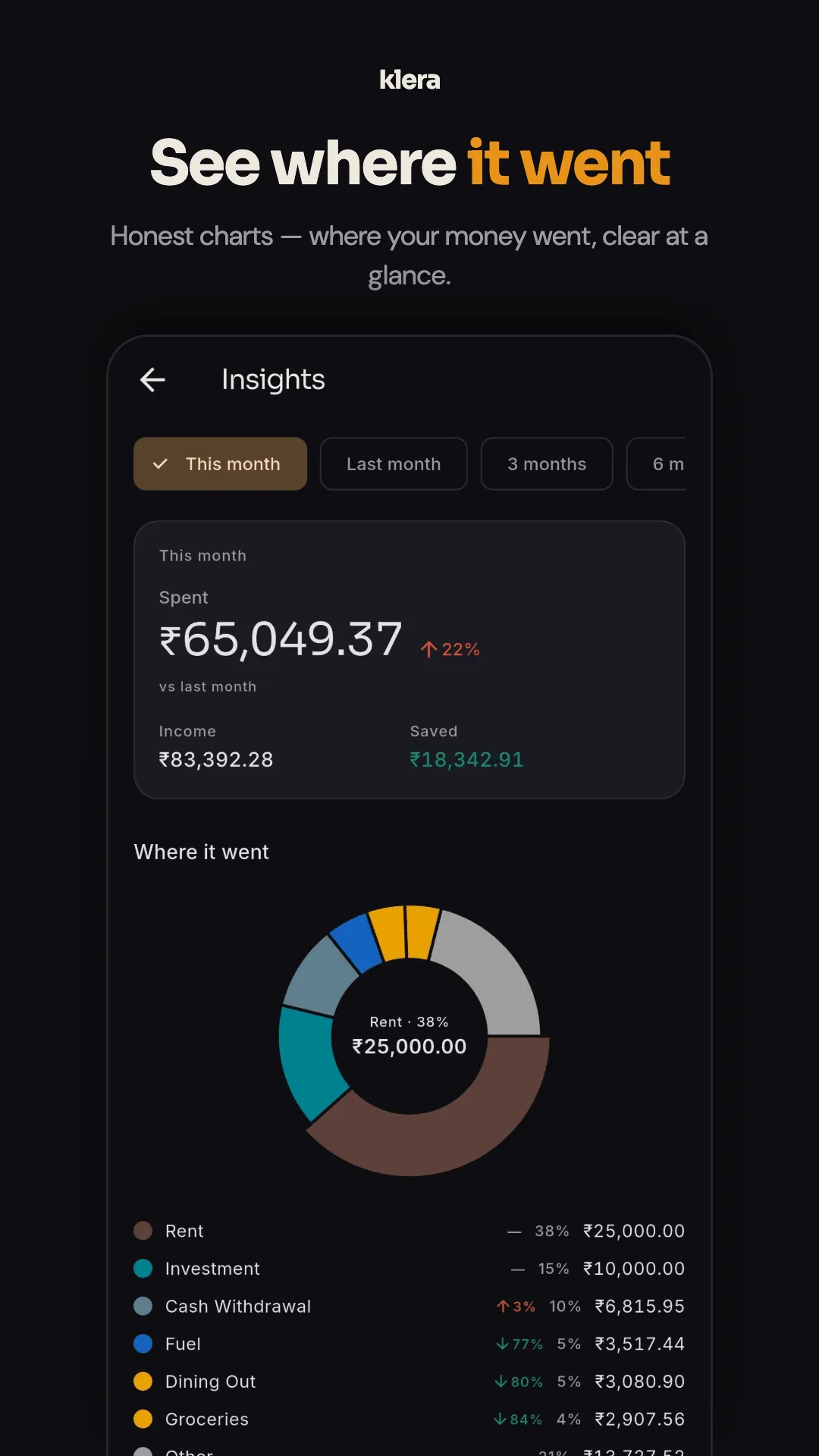
- Insights — spend heatmap, category trends, top merchants, cash vs digital, savings rate, and a yearly Money Wrapped.
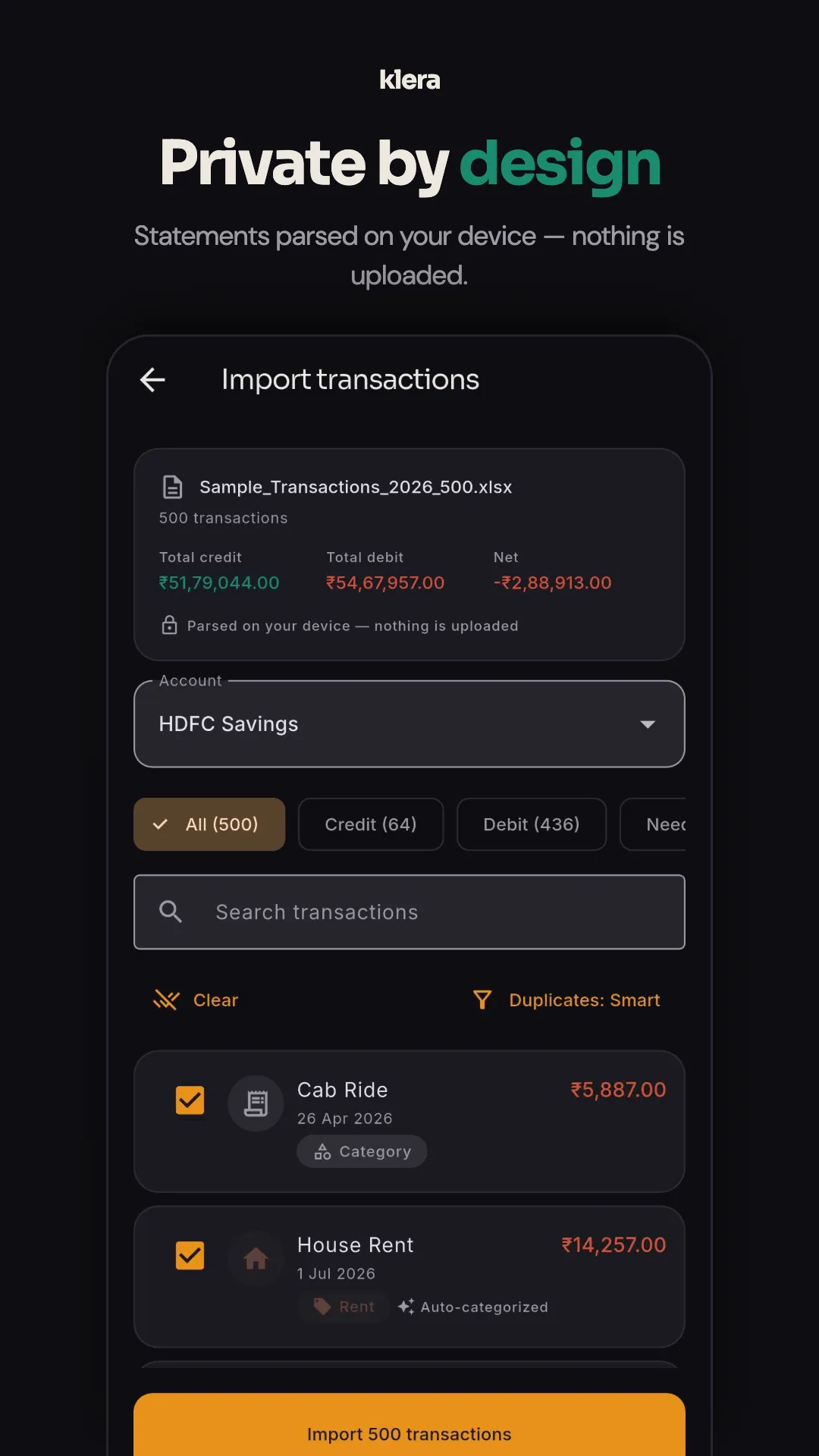
- Bring your history — statement import from PDF, Excel or CSV, parsed on your phone with auto-categorisation and duplicate detection.
- Take it away again — CSV and PDF export with April–March financial-year presets and a category-wise P&L summary, plus a one-tap JSON export of everything.
- Recoverable, not just private — an encrypted backup in your own Google Drive, refreshed daily or weekly, restored with a passphrase only you know.
- Locked down — biometric or PIN app lock, and screenshots blocked on financial screens.
Questions about offline tracking
What is an offline expense tracker app?
An offline expense tracker records your spending entirely on your device, with no server involved. Unlike cloud-based money managers, it does not need an internet connection, an account, or access to your bank — which means your financial history is never transmitted or stored anywhere you do not control.
Is Klera really 100% offline?
Every feature works offline, and it is verifiable: turn on airplane mode and use the app. Expense entry, budgets, savings goals, investments and net worth, the loan manager, udhaar tracking, insights, SIP and EMI calculators, statement import, backup and export all run without a network, because the work happens on your phone. Klera runs no server that holds your ledger. Four things do use the network when you let them, and none of them is your data leaving on its own: the encrypted backup you send to your own Google Drive, live prices for investments you track, ads, and a check for a new app version.
What happens to my data if I change phones?
Turn on Google Drive backup before you switch, then on the new phone install Klera, sign in to the same Google account and type your backup passphrase — accounts, transactions, budgets, goals, loans and udhaar all come back. The backup is encrypted with your passphrase, so only you can restore it. If you would rather not involve Drive at all, export an encrypted backup file and move it yourself.
Is an offline expense tracker less capable than a cloud one?
Not for personal finance. You give up automatic bank sync and multi-device sync; you keep expense and income tracking, multi-account ledgers, bucket budgets with alerts, savings goals, scheduled bills and EMIs, investment and net-worth tracking, a full loan manager, spending insights, statement import from PDF, Excel or CSV, and CSV/PDF export with financial-year presets. Klera adds udhaar (IOU) tracking with UPI settle links, which most cloud apps do not have.
Does Klera cost anything?
No — every feature is free, with no paywall and no subscription. It is paid for by ads: a few quiet native slots on screens like Home and Insights, never on the add-expense keypad and never on the backup, export or delete screens. The ad network is never given your transactions or balances, and we never sell your data. Paid ad removal and encrypted multi-device sync may arrive later, clearly labelled.
Which platforms is it on?
Klera is available for Android on the Google Play Store. An iPhone version is in development.
Read next
- Why an offline expense tracker beats a cloud one
- An AI expense tracker that runs on your phone, not a server
- Prepay the home loan, start a SIP, or buy gold? — free calculator
- How to manage your money privately in 2026
- Best expense tracker apps compared
- Udhaar tracker app — who owes you, tracked offline
Try it with the network off.
That is the whole pitch. Free, no sign-up, nothing to cancel.